
Assalamualaikum! Welcome everyone Please excuse any mistakes. I am starting without saying much.

Almost all of us use Facebook. It is said to be a means of social communication.
Through Facebook we can communicate with each other and because of Facebook everyone has created bonding between each other.

There are many people who have increased their reach by making Facebook groups, there are many members in the group but it is not possible to contact everyone.
To solve this problem Facebook has brought a new feature, that is Facebook Community Chat. Through this, all the members of the Facebook group can join the Messenger group.
So let's find out how to do it. Messenger app is required for this.
And those who do not have updated version of Messenger app installed, update it from Google Play Store.
This time you enter your messenger.
Click on the space shown above.
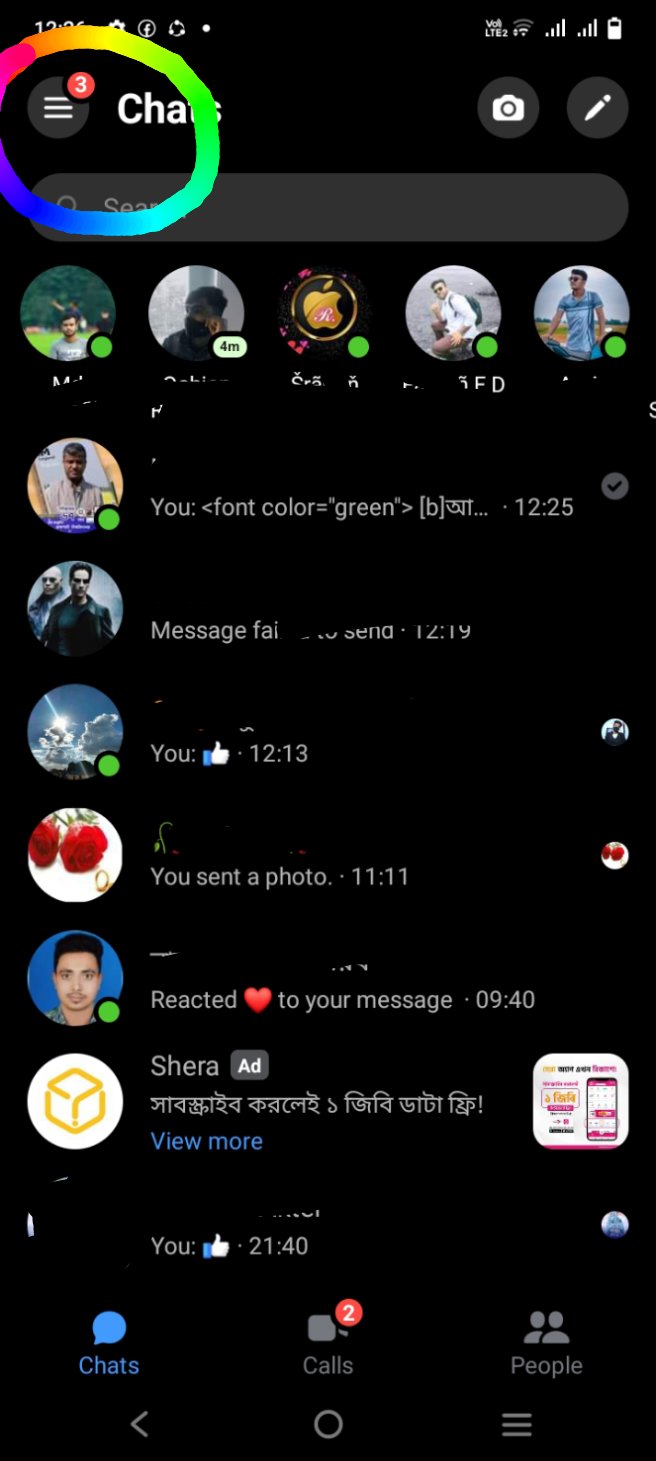
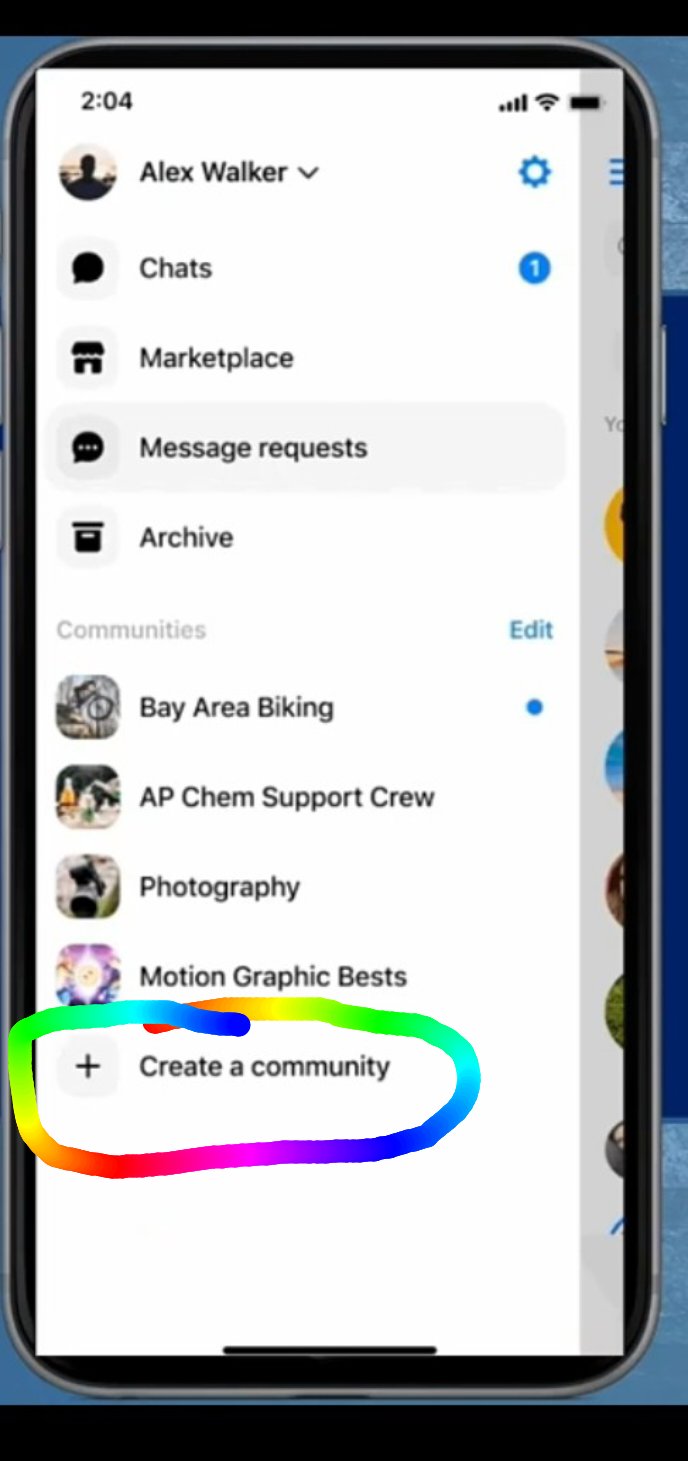
This time you can see below it
is written like Create a community. Click there.
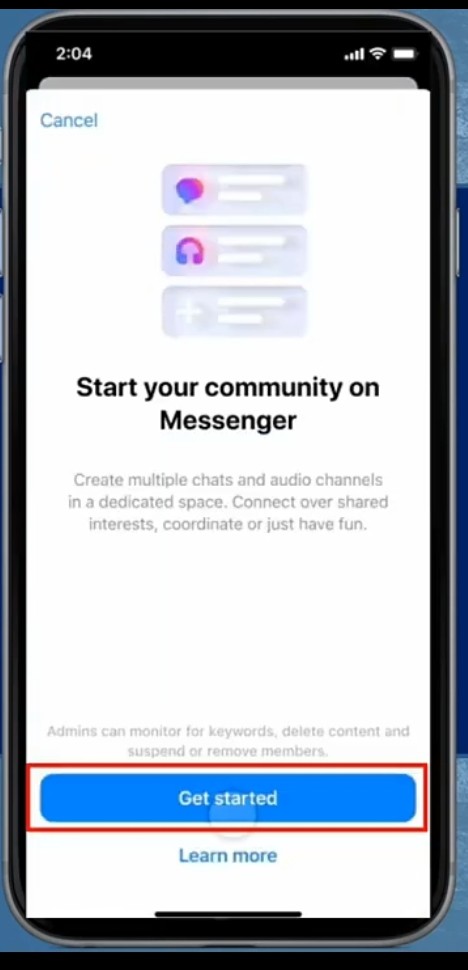
Then you click on get start text.
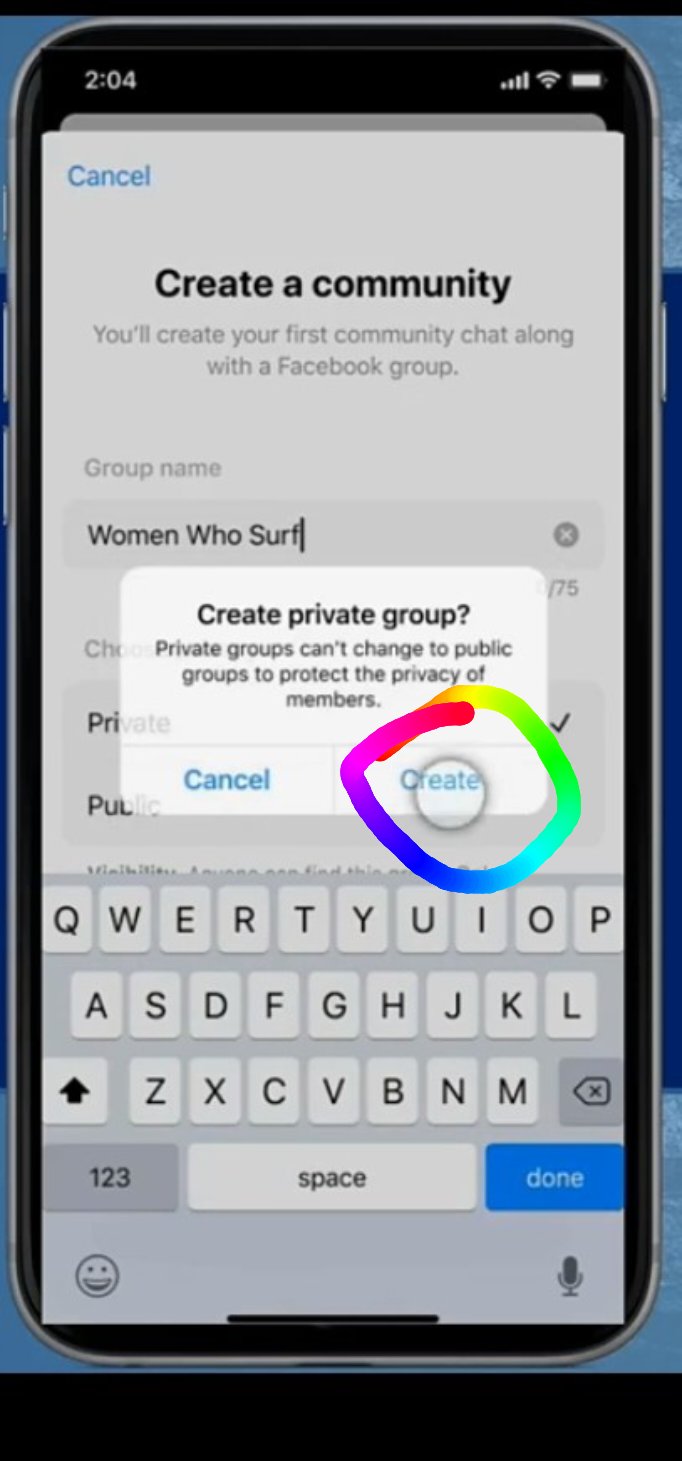
This time here give the name you want to open the group. If you want, you can make the group private and public.
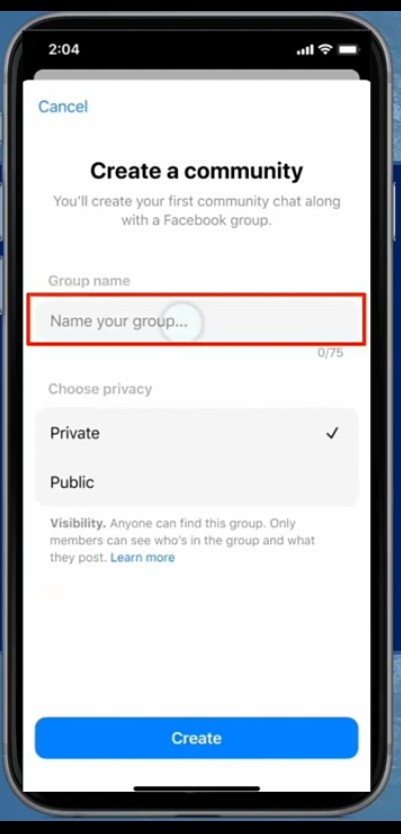
Then click on creat.
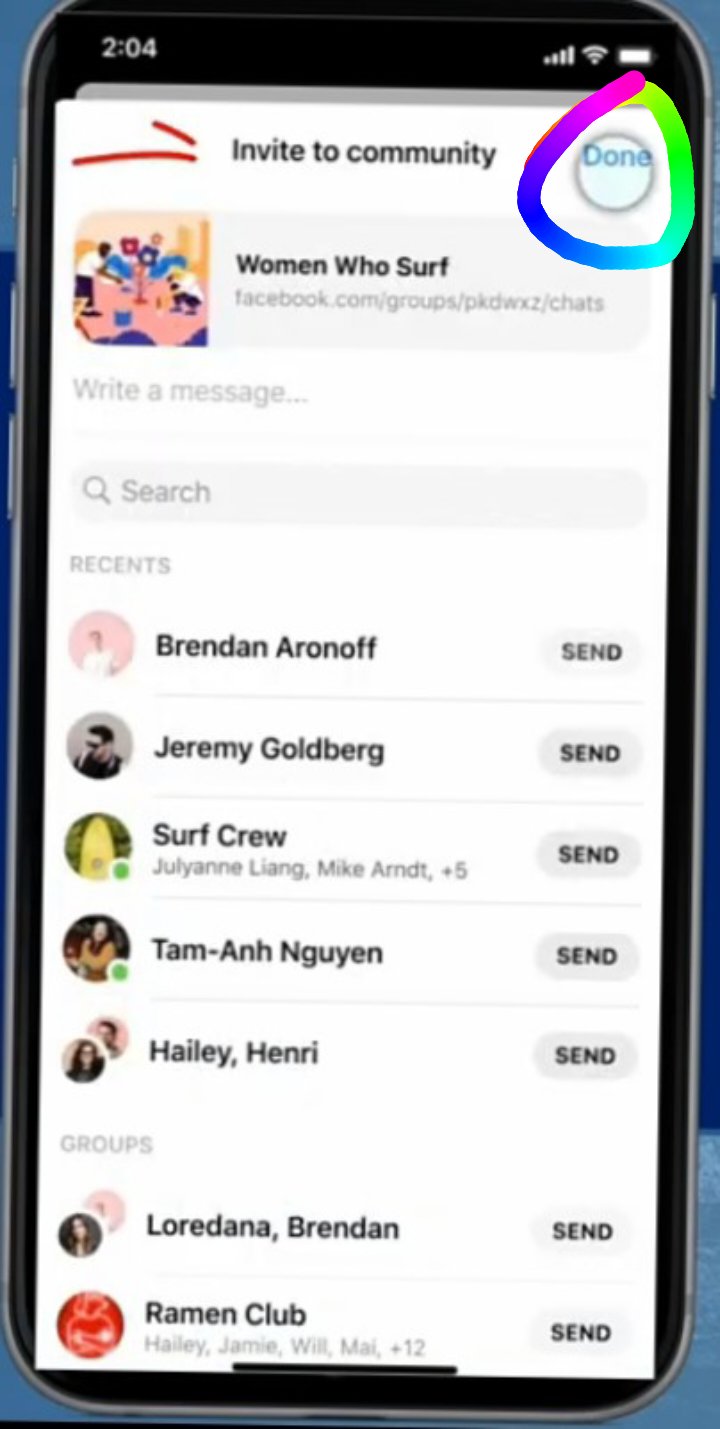
This time here you click to invite to your group.
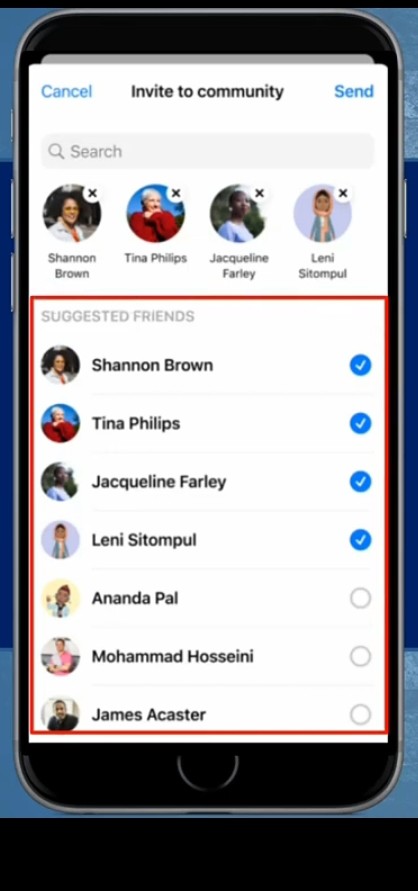
Now you can see all your group members with whom you can open group.
This group has been opened.
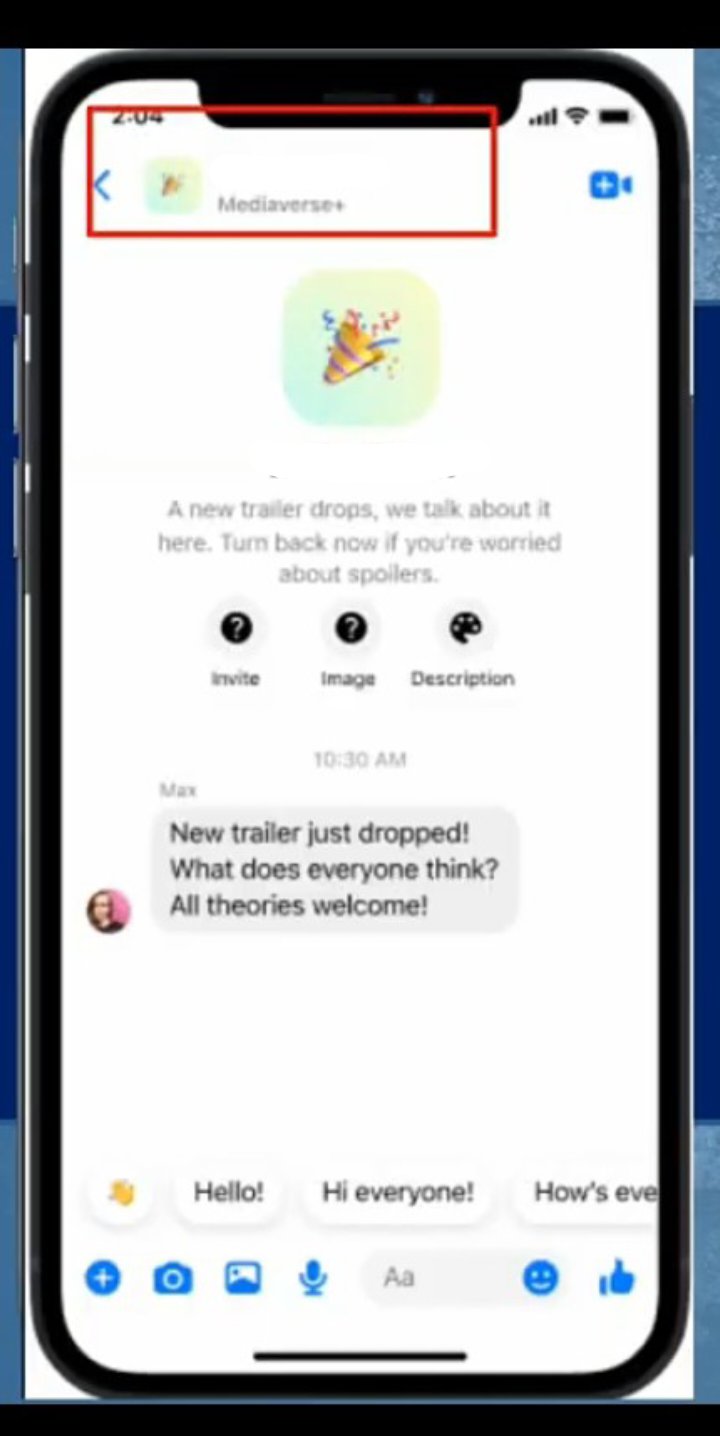
If you want, you can also open messenger community chat with the members of your Facebook group in this way.
So, that was it in detail. Thank you all for reading my post.

